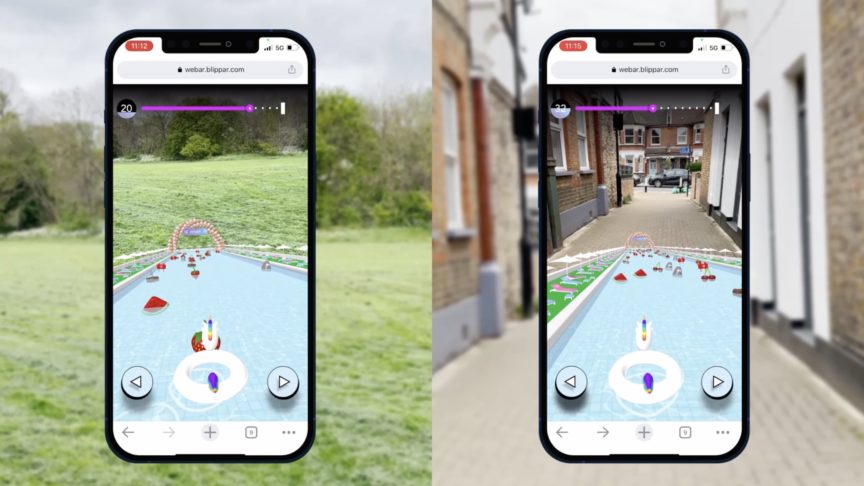
If you are comparing Blippar vs 8th Wall, you are likely navigating a significant shift in the WebAR landscape.
For years, the industry’s “Big Three” were Blippar, Zappar, and 8th Wall. However, with 8th Wall officially closing to new projects and winding down platform access, brands and agencies are now evaluating long-term alternatives for browser-based augmented reality.
This guide provides a strategic and technical comparison of Blippar and 8th Wall, with a clear focus on what this transition means in practical terms for WebAR teams in 2026.
Quick Comparison: Blippar vs 8th Wall
Feature |
Blippar |
8th Wall |
Platform Status (2026) |
Active, expanding |
Winding down |
Core Architecture |
GPU-accelerated, browser-native |
Web-based AR engine |
No-Code Builder |
Blippbuilder (browser-based) |
None (developer-focused) |
World Tracking (SLAM / 6DoF) |
Yes |
Yes |
Engine Support |
A-Frame, Babylon.js, PlayCanvas, Unity |
A-Frame + proprietary stack |
Pricing Model |
Free to download, view-based pricing |
Historically high commercial licensing |
The short answer
8th Wall was a powerful WebAR platform, but with the platform winding down, the real comparison is no longer feature parity - it is about continuity, scalability, and long-term infrastructure.
Blippar is now positioned as the most direct enterprise-grade successor for teams that previously relied on 8th Wall.
What was 8th Wall?
8th Wall was widely regarded as one of the most advanced WebAR platforms available. It became popular because it offered:
High-quality SLAM / 6DoF world tracking
Browser-native AR without app downloads
Strong developer tooling built around A-Frame
Enterprise licensing for large-scale campaigns
For many agencies, it was the default WebAR infrastructure layer. However, with platform access ending, teams must now move their pipelines elsewhere.
What Is Blippar?
Blippar is an AR technology pioneer built around high-performance computer vision and browser-native deployment.
Its ecosystem includes:
Blippbuilder - a zero-install, browser-based AR creation suite
Blippar WebAR SDK - for custom developer builds
Enterprise hosting and analytics infrastructure
A structured migration path for 8th Wall users
Unlike platforms that rely on heavy desktop workflows, Blippbuilder runs entirely in-browser.
Technical comparison: Blippar vs 8th Wall
1. Tracking & Performance
Both platforms support:
The difference lies in architecture.
Blippar’s WebAR SDK uses GPU-accelerated computer vision, leveraging device hardware to ensure stable, “locked” world tracking. This is critical for:
For teams accustomed to 8th Wall’s stability, this is a key consideration.
2. Development Workflow
8th Wall was primarily developer-focused.
Blippar supports both:
Developer workflows (A-Frame, Babylon.js, PlayCanvas, Unity plugin)
No-code production via Blippbuilder
This dual-layer architecture widens accessibility:
Team Type |
8th Wall |
Blippar |
Developer-led agency |
Strong |
Strong |
Marketing team with no-code needs |
Limited |
Excellent |
Enterprise collaboration |
Developer-dependent |
Browser-based, multi-user |
Blippbuilder’s browser-native model eliminates installation friction - particularly valuable for enterprise teams with strict IT environments.
3. Pricing & Commercial Model
8th Wall historically operated under commercial licensing models that could represent a significant upfront barrier.
Blippar offers:
For agencies managing campaign budgets, this provides predictability and scalability.
Migration: From 8th Wall to Blippar
The migration conversation is no longer theoretical, it is operational.
A typical transition process involves:
Audit existing 8th Wall projects
Export 3D models, textures, scripts, and assets
Rebuild or port into Blippar SDK or Blippbuilder
Test tracking parity across devices
Deploy on Blippar infrastructure
For a detailed technical walkthrough, see our dedicated migration guide.
This structured pathway reduces risk and avoids disruption as 8th Wall access winds down.
Enterprise Infrastructure & Scale
Modern AR is no longer experimental. It is part of digital infrastructure.
Blippar supports:
For brands running campaigns across multiple regions, stability matters more than novelty.
Final Verdict: Which should you choose?
Choose Blippar if:
You are currently using 8th Wall and need a long-term successor
You require GPU-accelerated SLAM stability
You want a browser-based no-code builder
You need predictable, scalable pricing
You are building enterprise-grade WebAR infrastructure
8th Wall Consideration
8th Wall was a powerful and influential WebAR engine. However, with the platform closing to new projects and winding down access, it is no longer a viable option for new deployments.
The strategic question rather than being “Which is better?” is:
Which platform will support your WebAR roadmap for the next five years?
For most enterprise and agency teams, that answer is now Blippar.
Frequently Asked Questions
Is Blippar a direct replacement for 8th Wall?
In most use cases, yes. Blippar provides comparable world tracking capabilities, developer flexibility, and enterprise infrastructure — with the added advantage of a browser-based no-code builder.
Does Blippar support SLAM (6DoF world tracking)?
Yes. Blippar supports GPU-accelerated SLAM for stable world tracking without markers.
Can I migrate my 8th Wall assets?
Yes. 3D models, textures, and most creative assets can be exported and ported into Blippar projects.
Is Blippbuilder developer-only?
No. It is designed for both technical and non-technical teams, running entirely in the browser.
Related reading
This post is part of our WebAR comparison series:
If you are actively evaluating your next move post-8th Wall, start with the migration guide then explore the SDK documentation to assess technical fit.
Author
Steve Spencer
Co Founder