

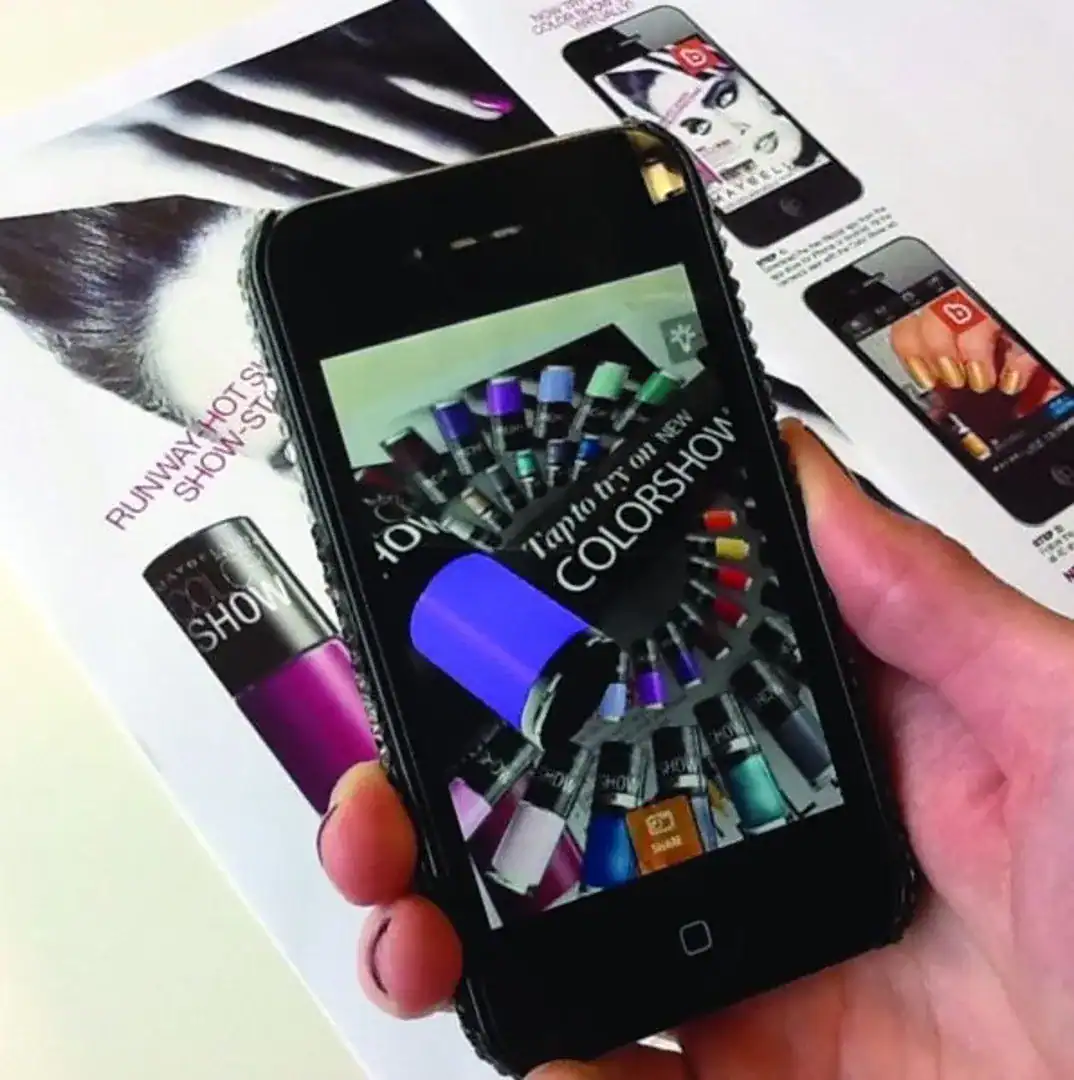
The biggest friction point in augmented reality has never been technology. It’s been the app store.
For most of the history of consumer AR, experiencing a brand’s campaign meant downloading an application which relied upon the consumer finding it in the store, waiting for it to install, granting permissions, opening it and navigating to the right feature before a single second of AR had been delivered. For every user who completed that journey, many more dropped off at one of those steps.
Web-based AR removes that journey entirely. The experience launches in the browser, from a QR code scan or a link click, in seconds. No app. No download. No friction.
This isn’t a new claim, but it’s becoming increasingly consequential as WebAR technology matures. This article explains why “no app required” has shifted from a nice-to-have to the expected default for brand AR campaigns, what that means for how brands think about AR budgets and deployment, and why the technical gap between browser-based and native app AR has largely closed for marketing purposes.
The app install problem was always a participation problem
When AR-enabled brand campaigns first became viable around 2017 – 2019, dedicated apps were the primary delivery mechanism. IKEA Place, L’Oreal Makeup Genius, Pokémon GO were all apps. The model made sense at the time because WebAR technology wasn’t capable of the experiences consumers expected.
But the numbers told a harder story. App download rates for branded AR campaigns were consistently poor. Most users encountering a QR code or in-store prompt that directed them to an app download simply didn’t follow through. Research from this period suggested that even with strong in-store incentives, fewer than 15–20% of interested shoppers completed the download-to-engagement journey.
The problem wasn’t lack of interest. It was friction.
Every step between interest and experience is an opportunity for the user to leave. An app download adds multiple steps, and for a one-time brand activation, most consumers rationally decide the payoff isn’t worth it.
WebAR collapses those steps. The QR code is the entry point and the experience itself. The user scans, the browser opens, the AR launches. For well-optimised WebAR experiences, this takes under ten seconds
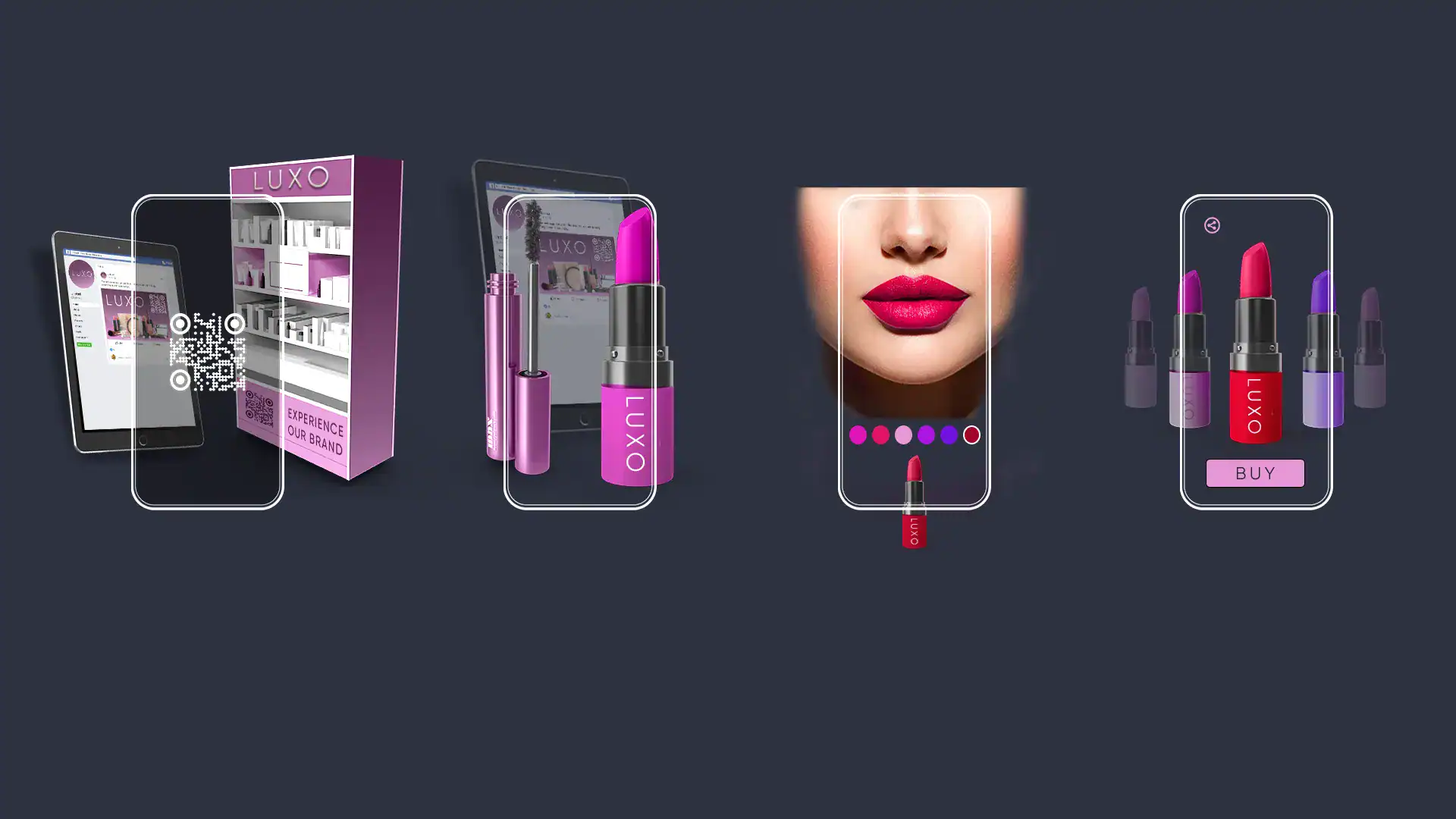
Image above: Example of an immersive make up brand experience direct from a QR code
Why “good enough” has become “better”
The counter-argument to WebAR has historically been quality. Native apps running ARKit or ARCore have access to device hardware at a lower level, more consistent tracking, better surface detection, support for features like persistent anchors and LiDAR-assisted depth.
That argument still holds at the extreme end of AR capability. But for brand marketing use cases including product visualisation, face filters, packaging AR and experiential activations, it stopped being true several years ago.
Modern WebAR platforms including Blippar’s SDK support:
- SLAM-based world tracking for placing 3D objects in physical space
- Image and face tracking accurate enough for product try-on and packaging triggers
- 3D model rendering via WebGL, with real-time lighting and material support
- WebXR APIs that extend AR capabilities directly in the browser
- Cross-platform delivery on both iOS (Safari) and Android (Chrome) without separate builds
The experiences that win brand campaigns like a 3D product appearing on a kitchen countertop, a branded filter layered over a user’s face or a printed poster that comes alive when scanned, all run in the browser with performance that’s indistinguishable from native AR to the end user.

What “no app required” actually delivers for brands
The headline benefit is participation rate. When the barrier to the experience is a single QR scan rather than a multi-step app install, more people engage.
But that’s not the full story. The “no app required” model changes the economics and operational model of AR campaigns in several important ways.
Distribution becomes frictionless
An app-gated AR experience can only be promoted through channels where users are willing to pause and download something, typically app stores and paid social. A WebAR experience can be distributed anywhere a URL or QR code can appear whether that’s packaging, print, OOH, email, social, press coverage, retail point-of-sale, event materials or product inserts.
This makes WebAR genuinely omnichannel in a way that native app AR isn’t. The same experience, accessible from the same QR code, can appear on a billion product units globally and activate from any smartphone in any country.
Campaigns can be updated after launch
App-based AR is locked into a review and approval cycle. Once an app update is submitted to Apple or Google, you’re waiting for review. A change can take days.
WebAR experiences hosted on Blippar’s platform update instantly, server-side. The QR code printed on last season’s packaging can serve this season’s AR experience. A bug can be patched in minutes. A CTA can be updated to reflect a promotion change the day before it goes live.
For brands operating at scale with millions of product units in the market, this isn’t a minor convenience. It’s a fundamentally different operational model.
No user account or permissions overhead
App downloads require users to have an app store account, enough device storage, and a willingness to grant application permissions. WebAR requires only camera permission within the browser from a single tap prompt that most users have been conditioned to accept through their normal browsing experience.
Analytics without SDK integration
Because WebAR runs in the browser, campaign analytics can be tracked through standard web analytics infrastructure including UTM parameters, event tracking and engagement metrics, without requiring integration into a native app analytics layer. For brands and agencies with existing analytics setups, this simplifies reporting and attribution significantly.
The shift in expectations
There’s a cultural dimension to this as well.
As WebAR has become more prevalent, consumer expectations have shifted. QR codes, which had a years-long reputation problem, became normalised almost overnight during 2020–2021. Today, most smartphone users understand that scanning a QR code will open something in their browser. The mental model of “scan to experience” has been established at scale.
This means the friction of explaining the mechanic has also largely disappeared. Brands no longer need to spend creative real estate teaching consumers how to access the AR experience. “Scan to see it in 3D” or “scan to try it on” is self-explanatory in a way it wasn’t five years ago.
The result is that WebAR campaigns can assume higher base comprehension from their audience, and can focus their messaging on the experience itself rather than the delivery mechanism.
When an app might still make sense
Web-based AR isn’t the right answer for every AR use case. There are still scenarios where native app development is the appropriate choice:
- Long-lived utility applications where users are expected to return regularly (a furniture visualisation tool within an e-commerce app, an interior design platform)
- Offline functionality for environments without reliable internet access
- Complex persistent AR requiring shared environments or precision anchoring
- Deep hardware integration using LiDAR, Apple Vision Pro, or advanced haptics
For one-time or campaign-based brand activations, on-pack experiences, retail triggers, experiential activations, and most digital-to-physical marketing, WebAR is the appropriate default. And for the vast majority of brands exploring AR for the first time, “no app required” isn’t just a technical specification, it’s the answer to the first objection their legal team or media buyer will raise.
Getting started
If you’re evaluating WebAR for a campaign or want to understand what your first experience could look like, talk to Blippar.
Click here to book a discovery call with Blippar Studios to see how we can bring your campaign to life.